
ASP.NET Core 自定义模型绑定:灵活提取 Body、Query 与 Form 中的参数
2026-08-31 08:47小俞
ASP.NET Core 自定义模型绑定:从 Body、Query、Form 任意位置接收参数
背景
在 ASP.NET Core 中创建一个接口,通常是这样的:
[ApiController]
[Route]
public class TestController : ControllerBase
{
    [HttpPost]
    [Route]
    public async Task<IActionResult> Hello([FromBody] HelloModel hello)
    {
        return Ok($"hello {hello.Name} - {hello.Age}");
    }

    public class HelloModel
    {
        public string Name { get; set; } = string.Empty;
        public int Age { get; set; }
    }
}
正常的接口调用应该是如下:
curl --location 'https://localhost:9387/api/test/hello' \
--header 'Content-Type: application/json' \
--data '{
    "name":"test",
    "age":22
}'
正常输出:
hello test - 22
问题场景
但调用方不按常理出牌,比如:
curl --location 'https://localhost:9387/api/test/hello?name=test' \
--header 'Content-Type: application/json' \
--data '{
    "age":22
}'
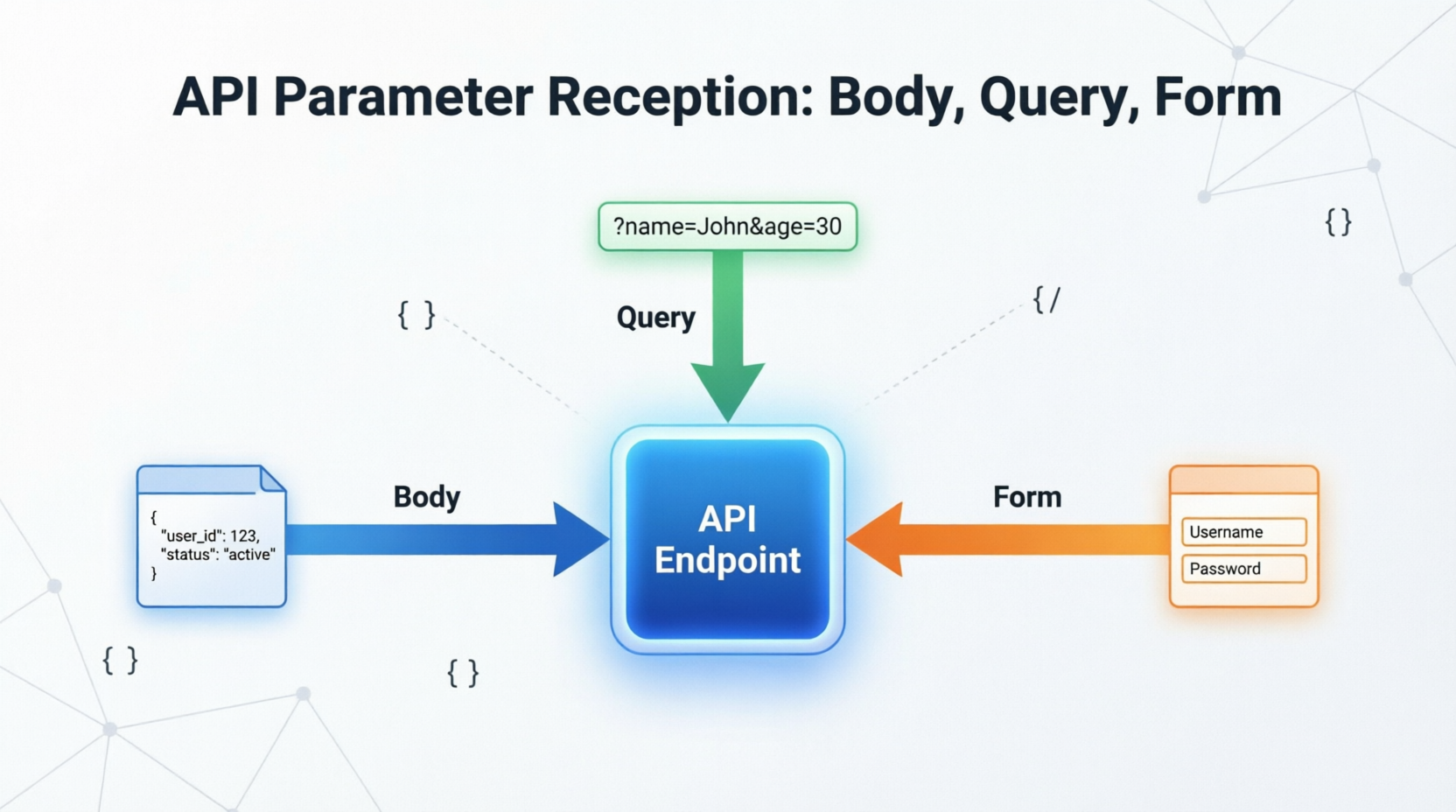
他把 name 参数放在了 URL 中,age 参数放在了 body 中,这样就会导致 name 参数无法正常接收。调用方不配合修改,而且调用方式还不固定——有时正常传 body,有时又用 application/x-www-form-urlencoded 把数据放在 form 里。
解决方案
这时候你尝试使用:
[FromBody][FromQuery][FromForm] HelloModel hello
很遗憾,这是不可行的。你只能"放大招"——自定义模型绑定。
整体实现思路分为四步:
- 1定义一个
[FromAny]特性标签; - 2实现一个模型绑定提供器(
IModelBinderProvider),告诉系统遇到[FromAny]时使用我们的绑定器; - 3将提供器注册到 MVC 选项中;
- 4实现自定义的模型绑定器(
IModelBinder),从 body、query、form 中依次读取数据。
说明:以下代码均位于 ASP.NET Core 项目中,需引用
Microsoft.AspNetCore.Mvc和System.Text.Json命名空间。
1. 定义特性标签
先定义一个属性标签:
using System;
using Microsoft.AspNetCore.Mvc.ModelBinding;

[AttributeUsage](AttributeTargets.Parameter | AttributeTargets.Property)
public class FromAnyAttribute : Attribute, IBindingSourceMetadata, IModelNameProvider
{
    public BindingSource? BindingSource => BindingSource.Custom;

    public string? Name => "FromAny";
}
这样你就可以在参数上直接使用:
[FromAny] HelloModel hello
但这样还无法工作,需要继续添加一个自定义的模型绑定器,告诉系统,当遇到 FromAny 标签时,使用我们自己的模型绑定器。
2. 实现模型绑定提供器
using System;
using System.Linq;
using Microsoft.AspNetCore.Mvc;
using Microsoft.AspNetCore.Mvc.ModelBinding;
using Microsoft.AspNetCore.Mvc.ModelBinding.Metadata;

public class FromAnyModelBinderProvider : IModelBinderProvider
{
    public IModelBinder? GetBinder(ModelBinderProviderContext context)
    {
        ArgumentNullException.ThrowIfNull(context);

        // 检查是否有 [FromAny] 特性标记
        var hasAttribute = context.BindingInfo?.BinderType == typeof(FromAnyModelBinder) ||
                      HasFromAnyAttribute(context);
        if (hasAttribute)
        {
            return new BinderTypeModelBinder(typeof(FromAnyModelBinder));
        }

        return null;
    }

    private static bool HasFromAnyAttribute(ModelBinderProviderContext context)
    {
        // 通过 ModelMetadata 检查参数或属性上是否标记了 [FromAny]
        if (context.Metadata is DefaultModelMetadata defaultMetadata)
        {
            var attributes = defaultMetadata.Attributes;

            return attributes?.PropertyAttributes?.Any(a => a is FromAnyAttribute) == true
                || attributes?.ParameterAttributes?.Any(a => a is FromAnyAttribute) == true
                ;
        }

        return false;
    }
}
3. 注册提供器
将他添加到模型绑定中,这样才能正常工作:
builder.Services.AddControllers(options =>
{
    options.ModelBinderProviders.Insert(0, new FromAnyModelBinderProvider());
})
这时候已经能够识别 FromAny 了,但还不能正常工作,因为自定义的模型绑定器还没有实现。
4. 实现模型绑定器
添加绑定实现 FromAnyModelBinder,这个类继承自 IModelBinder,需要实现 BindModelAsync 方法:
using System;
using System.IO;
using System.Linq;
using System.Reflection;
using System.Text.Json;
using System.Threading.Tasks;
using Microsoft.AspNetCore.Mvc.ModelBinding;

public class FromAnyModelBinder : IModelBinder
{
    public async Task BindModelAsync(ModelBindingContext bindingContext)
    {
        ArgumentNullException.ThrowIfNull(bindingContext);
        var httpContext = bindingContext.HttpContext;
        try
        {
            var modelType = bindingContext.ModelType;
            // 创建一个新的 Model 实例
            var model = Activator.CreateInstance(modelType);
            bindingContext.HttpContext.Request.EnableBuffering();

            var body = await new StreamReader(
                bindingContext.HttpContext.Request.Body,
                encoding: System.Text.Encoding.UTF8,
                leaveOpen: true
            ).ReadToEndAsync();

            // 重置流位置以便后续中间件读取
            bindingContext.HttpContext.Request.Body.Position = 0;

            // body 中读取的数据
            if (!string.IsNullOrEmpty(body))
            {
                model = JsonSerializer.Deserialize(body, modelType, new JsonSerializerOptions
                {
                    PropertyNameCaseInsensitive = true
                });
                model ??= Activator.CreateInstance(modelType);
            }

            // 遍历属性,依次从 query、form 中补充数据
            foreach (var prop in modelType.GetProperties())
            {
                var currentValue = prop.GetValue(model);

                // query 中的数据
                var newStringValue = httpContext.Request.Query[prop.Name].FirstOrDefault() ?? "";
                if (string.IsNullOrEmpty(newStringValue))
                {
                    // form 中读取数据
                    newStringValue = !httpContext.Request.HasFormContentType
                        ? ""
                        : httpContext.Request.Form[prop.Name].FirstOrDefault() ?? "";
                }
                if (currentValue == null || !string.IsNullOrEmpty(newStringValue))
                {
                    SetValue(model, prop, newStringValue);
                }
            }

            if (model != null)
            {
                bindingContext.Result = ModelBindingResult.Success(model);
                return;
            }
            bindingContext.Result = ModelBindingResult.Failed();
        }
        catch (JsonException ex)
        {
            bindingContext.ModelState.AddModelError(
                bindingContext.ModelName,
                $"Invalid JSON format: {ex.Message}"
            );
            bindingContext.Result = ModelBindingResult.Failed();
        }
    }

    // 参数值设置,可以按需求修改
    private static void SetValue(object? model, PropertyInfo prop, string valueString)
    {
        try
        {
            object? newValue;
            if (prop.PropertyType == typeof(string))
            {
                newValue = valueString;
            }
            else if (prop.PropertyType.IsArray && prop.PropertyType.GetElementType() == typeof(string))
            {
                newValue = string.IsNullOrEmpty(valueString)
                    ? []
                    : valueString.Split(',');
            }
            else
            {
                // 非字符串类型直接反序列化
                newValue = string.IsNullOrEmpty(valueString)
                    ? null
                    : JsonSerializer.Deserialize(valueString, prop.PropertyType, new JsonSerializerOptions
                    {
                        PropertyNameCaseInsensitive = true
                    });
            }

            // 只有当 newValue 不为 null 时才赋值,避免覆盖已有值
            if (newValue != null)
            {
                prop.SetValue(model, newValue);
            }
        }
        catch (Exception ex)
        {
            // 记录异常信息,便于排查类型转换问题
        }
    }
}
使用示例
接口改造成如下即可:
[HttpPost]
[Route]("hello")
public async Task<IActionResult> Hello([FromAny] HelloModel hello)
{
    return Ok($"hello {hello.Name} - {hello.Age}");
}
注意事项
- 绑定优先级:body → query → form。body 中已反序列化的值不会被 query/form 覆盖,query 中已获取的值不会被 form 覆盖。
EnableBuffering性能影响:启用请求体缓冲后,body 会被完整读入内存,对大请求体有性能开销。如接口仅处理小模型,可接受;若需处理大文件上传,建议单独处理。- 空值处理:query 或 form 中传空字符串(如
?name=)会覆盖 body 中的对应值。如需保留 body 原值,可在SetValue中增加判断逻辑。 - 类型支持:当前实现支持基础类型、字符串、字符串数组。如需支持复杂嵌套对象(如
List<T>、自定义类),需在SetValue中扩展反序列化逻辑。 HasFromAnyAttribute修复:原始代码中BinderModelName == "FromAny"的判断逻辑有误,已修正为直接通过DefaultModelMetadata.Attributes检查特性标记。
总结
这样就大功告成,不管调用方如何发送数据——参数放在 body、query 还是 form 里,你都能正常获取到参数了。核心思路就是通过自定义 IModelBinder,按 body → query → form 的顺序依次读取并合并属性值,从而兼容各种"不按常理出牌"的调用方式。
— 全文完 —
曝光5861浏览453
扫一扫,分享到微信